Windows 11 Embraces Android Phones as Webcam Alternatives
In a recent update to the Windows Insider program, Microsoft has unveiled a groundbreaking feature allowing Windows 11 users to utilize their Android smartphones or tablets as webcams during video conferencing sessions. This latest addition aims to enhance the versatility and functionality of the Windows ecosystem for its dedicated users.
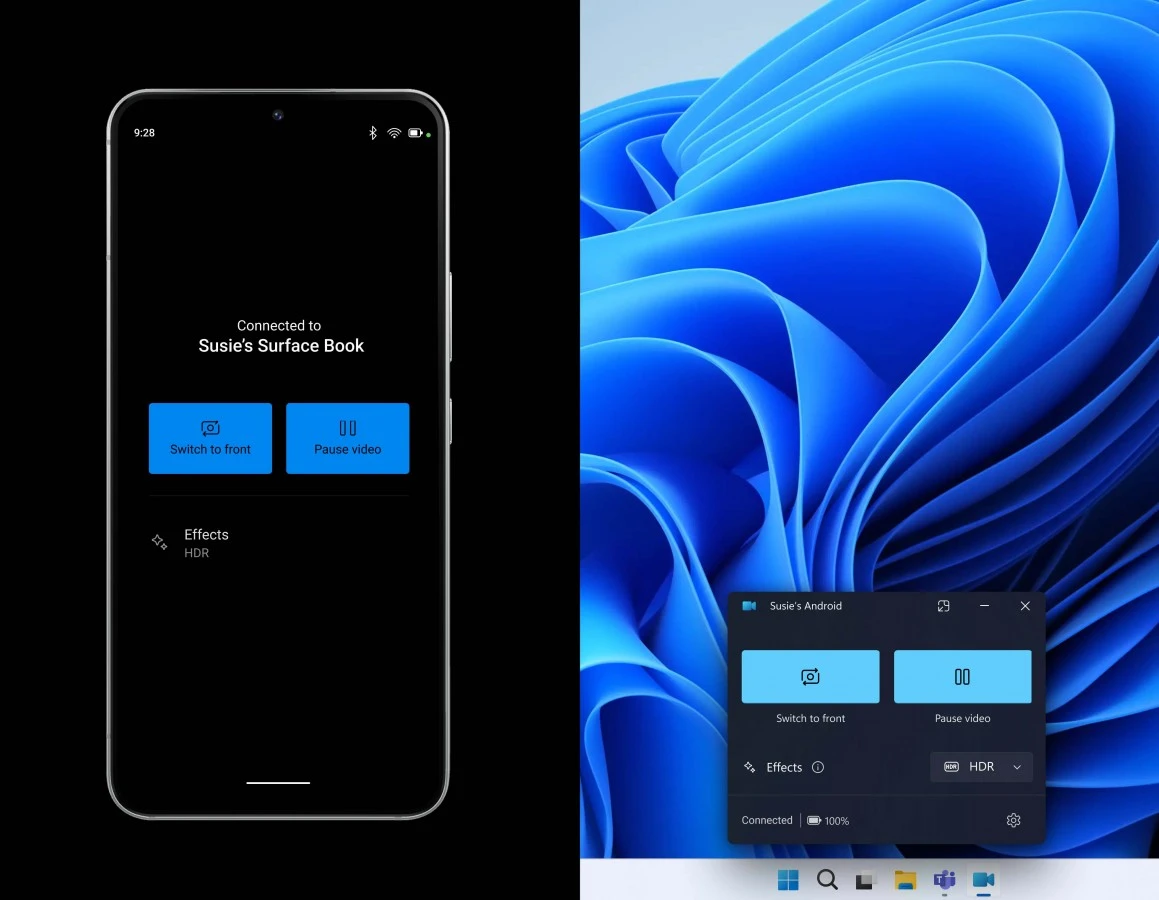
With this innovative capability, Windows Insider participants now can seamlessly integrate any Android device running version 9.0 or higher into their video conferencing setup. To enable this feature, users must ensure they have the Link to Windows app installed on their mobile device, with Microsoft specifying a minimum version requirement of 1.24012*.
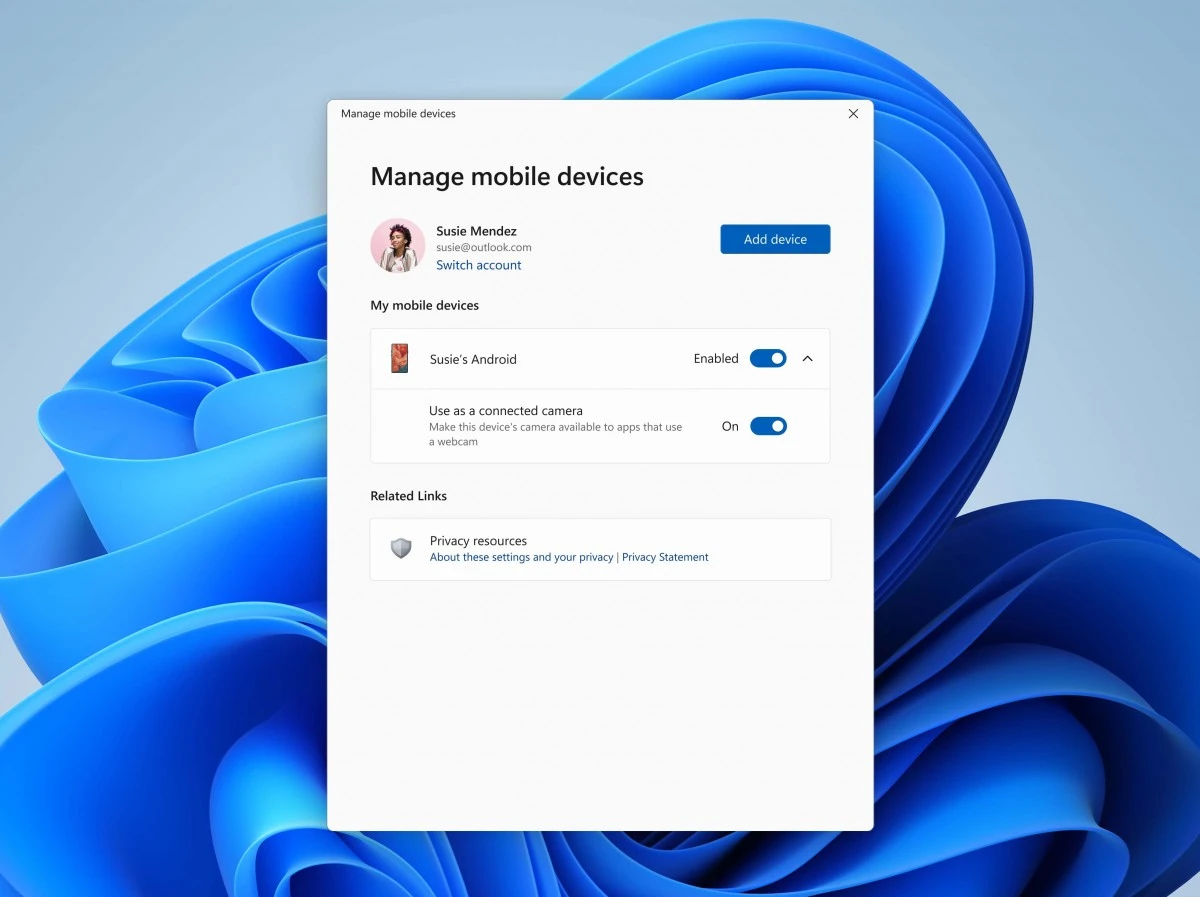
Setting up this functionality is straightforward. Windows Insider members need to navigate to their device's Settings menu, then proceed to Bluetooth & devices > Mobile devices. From there, selecting "Manage devices" allows users to grant their PC access to their Android phone. Once configured, users will receive a confirmation prompt indicating a successful connection between their PC and Android device.
Beyond the basic webcam functionality, Microsoft has integrated additional features to elevate the user experience. Participants can effortlessly switch between the front and back cameras of their Android devices, offering flexibility in capturing different perspectives during video calls. Moreover, users can enhance their presentations by adding effects and accessing recent photos directly from their camera roll, all conveniently accessible on their PCs.
Microsoft has officially announced that these new Insider features are now being rolled out, giving program users an even better Windows experience. Microsoft's dedication to continuously innovating and improving its products to satisfy the changing requirements of its user base is demonstrated by this integration.